
This is an old revision of the document!
Anycubic Vyper
| QR-ID | HQR1097 |
|---|---|
| Navn | Anycubic Vyper |
| Kort beskr. | 3D-printer |
| Build Volume | 245mm(L)×245(W)×260mm(H) |
| Indehaver | Hal9k |
| Lokale | Lasergrotten |
| Tilladt brug | No hacking allowed. Kun PLA. Leave name tag on printer when in use. |
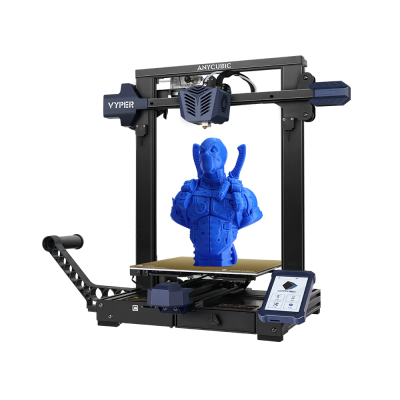
Use
Cura has a standard profile for the Vyper. Cura on the 3D Printing PC also has this profile.
Copy STL file to an SD card and insert the card into the printer.
Note: STL files must be placed in the root directory of the SD card.
Leave a name tag on the printer when in use.
Der er pt (april 2023) ved at blive etableret Octoprint, se #octoprint på Slack.
Links
Link: https://www.anycubic.com/products/anycubic-vyper
Manual: https://drive.google.com/file/d/19A_eUjgLDzJai16sdxdYCRPp99WQV4tE/view
Webcam: http://yzuytsmk2r7caxnkaubhwrdgxb5jpmzdop2v7xiqp4in65jejvsa.remote.moe/
Octoprint: http://o7zqgbs43gbnyct6x2awn5qrlexqpjmg4p2pqx3rfqb5jufbsmrq.remote.moe/ (få password på [[https://hal9k.slack.com/archives/C04LLPG98]Slack])